
PTA Tax Check Verify Mobile Registration & IMEI Status Online Pakistan
Verify Mobile Registration Status – CNIC vs Passport PTA Tax Rates 2026
Table of Contents
ToggleHow to PTA IMEI Check Online - Verify PTA Approved Status on Mobile
I have personally guided thousands of Pakistani mobile users through the PTA IMEI Check process since 2023, I know exactly where people get stuck and it is almost never the payment. Lets check if your mobile is PTA approved. I will walk you through the complete PTA IMEI Check Online process step by step with actual screenshots of mobile phone so you can register your new device with PTA easily and get your phone PTA approved without leaving your home. No agent needed, no guesswork, no wasted trips to a franchise.
Step-1 - Check IMEI On Mobile
- Check IMEI number by dialing *#06# and note down.
- You have to dial *8484# for PTA Mobile registration.
- After coming to reply, you have to press 1 for English or 2 for Urdu Language.
- Again, you will click on reply, and after pressing 1 for register mobile device.
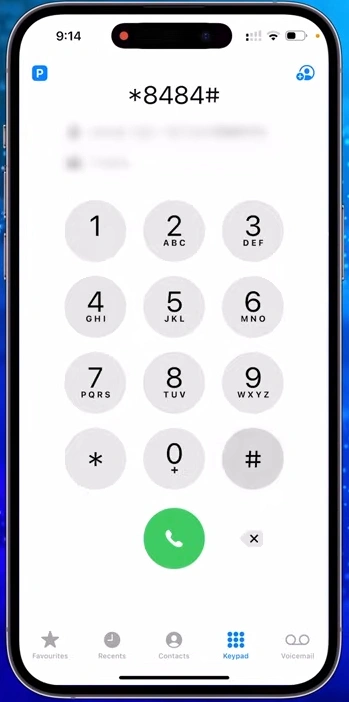
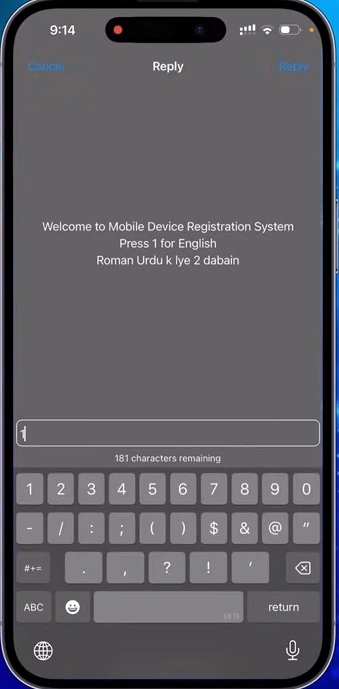
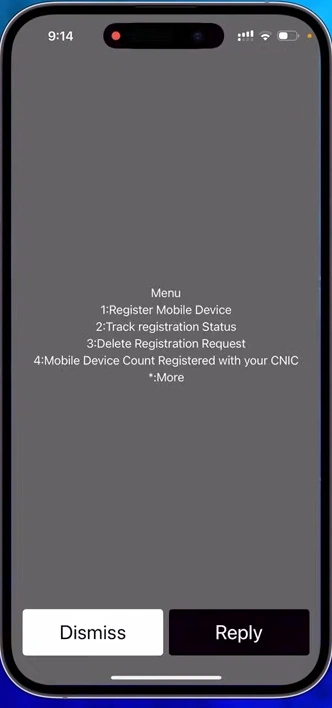
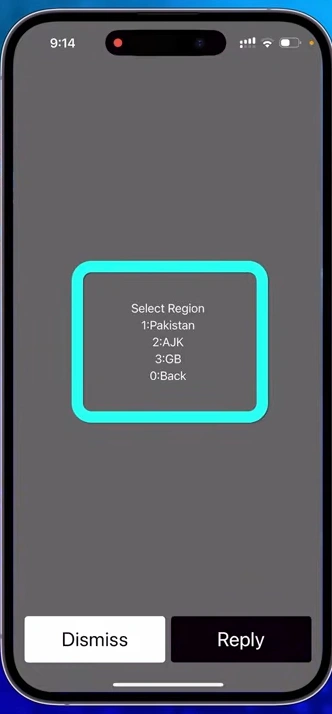
Step-2 Select Your Region (Pakistan/AJK/GB)
- Here you will get three options: Pakistan, Azad Jammu Kashmir (AJK) and Gilgit Baltistan (GB); whichever area you live in, you will choose that, just like we choose one option
- here, you will get two options; (1) Pakistani (2) Foreigner. You will choose option 1 by after clicking on reply button
- Then here, two options will come in front of you; if you have come from outside and it has not been completed 30 days since you came from outside, then you should get your phone approved on your passport, and you will get a discount of 20 percent on it. In this case reply with choose option 2 mobile registration local
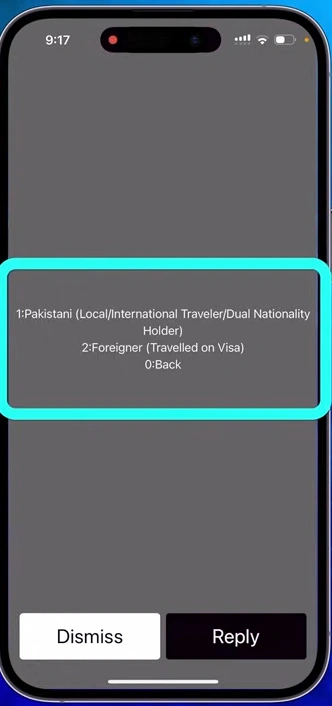
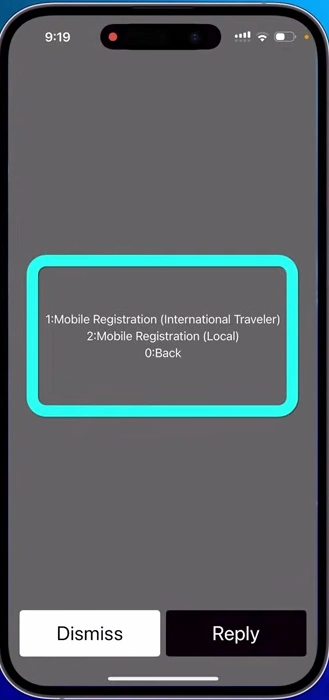
Step-3 Provide ID Card and IMEI Details
- Then you will provide your ID card, and you will choose the option 1 to reply; here, you have to enter your ID card.
After this, if you have a single SIM, double SIM, or triple SIM phone, you have to choose that option; we will choose option 2
Now, here you have to enter your first and second IMEI number.
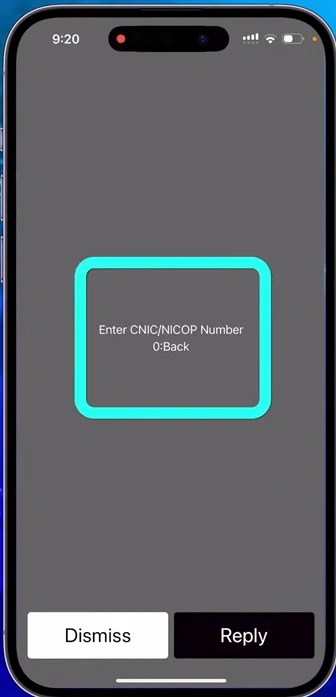
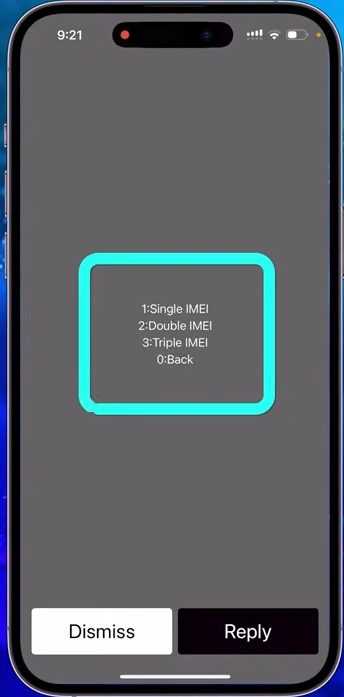
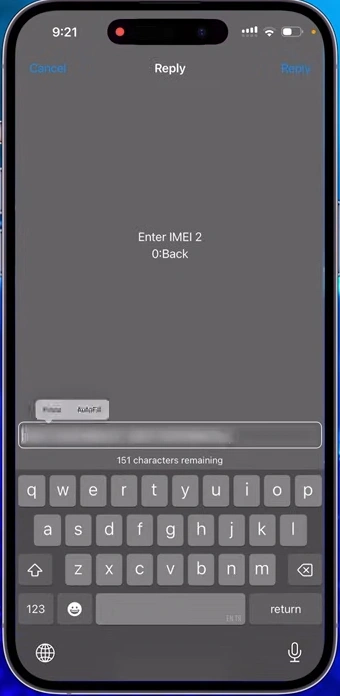
Step-4 Confirm Details and Submit Request
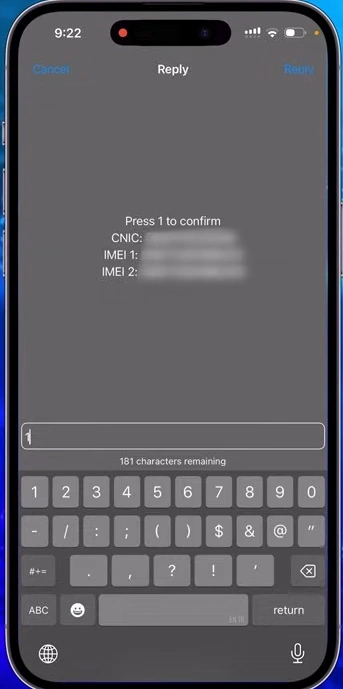
- After this, all the details that you have entered will appear in front of you; you have to note them down carefully; your ID card and both the IMEI numbers should match exactly. Do not make even the slightest mistake
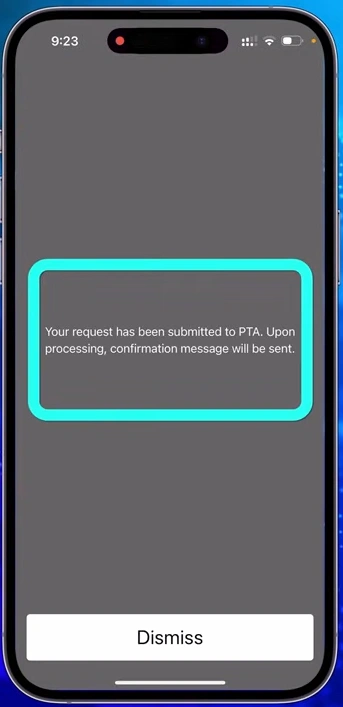
- When you are satisfied, you will click on reply and enter 1 to confirm details, and that has been submitted to PTA.
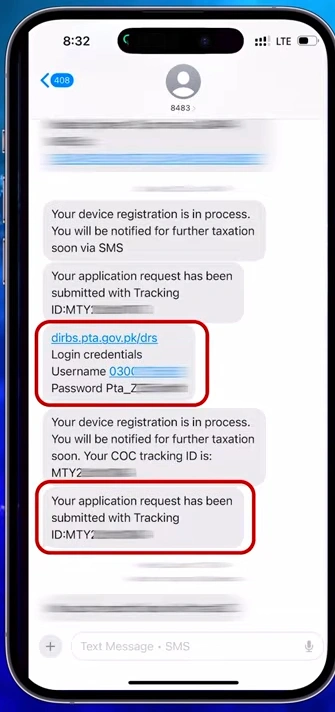
- Now, in a short while, you will receive some messages, Four to five messages will be received at a time, and you will be given the login URL, your username, and your password. You will also get the tracking code of your application.
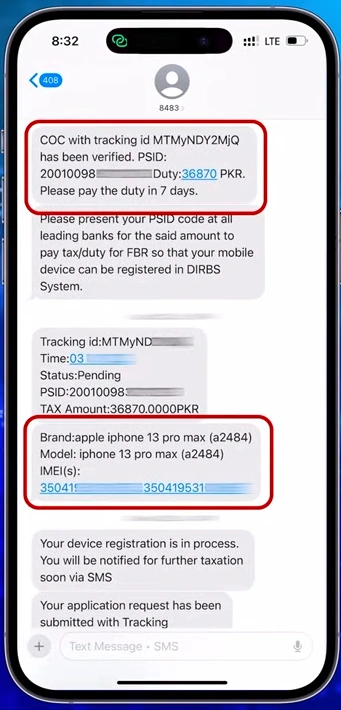
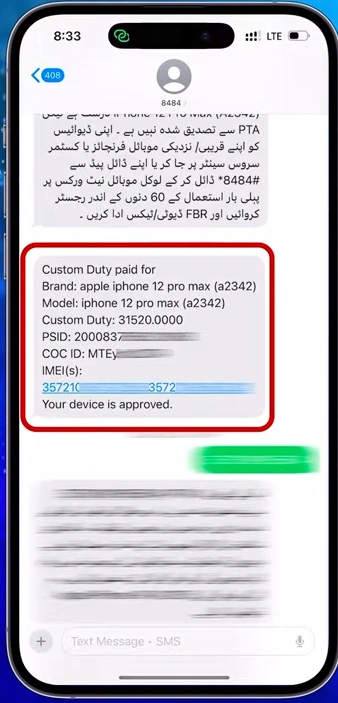
- After receiving these messages, you will receive two to three more messages. These will be the ones in which you will be told the PTA tax of your phone, and you will also be given the PSID. The code would have been given, and along with this, the name of the phone which you have got approved, its model, and both its IMEI numbers which you had entered would have been mentioned here so that you can be adequately satisfied when you are correctly satisfied.
- Copy this PSID given in the message and open JazzCash or any other would you like. In this case we will pay PTA tax through JazzCash.
How CIF Value is Calculated for PTA Mobile Tax
The value considered for tax purposes is usually:
- Phone Value (CIF)= Phone Price + Insurance + Freight Costs
This ensures that all components of the import cost are taxed appropriately.
Convert to CIF Value
- CIF (Cost, Insurance, Freight) value is calculated as:
- CIF Value=Retail Price + Insurance Cost + Freight Cost
- Insurance Cost: Typically 1%-2% of the retail price
- Freight Cost: Approx. $30-$50 for most phones.
PTA Tax Formula - How Regulatory Duty & Sales Tax is Calculated
PTA calculates tax as per given formula and same calculated by PTA Tax Check
1. Calculate Tax Components
- Regulatory Duty=15%×CIF Value
- Sales Tax=17%×CIF Value
- Withholding Tax=12%×CIF Value for CNIC or 17%×CIF Value for Passport
- IT Duty=9%×CIF Value
- Mobile Levy=5,000PKR
2. Total Tax Before Provincial Tax
- Total Tax Before Provincial Tax = Regulatory Duty + Sales Tax + Withholding Tax + IT Duty + Mobile Levy
3. Calculate Provincial Tax (0.9% of the total tax)
- Provincial Tax=0.9%×Total Tax Before Provincial Tax
4. Final Total PTA Tax
- Total PTA Tax = Total Tax Before Provincial Tax + Provincial Tax
Who Needs to Pay PTA Tax in Pakistan - CNIC & Passport Holders
Before you check PTA tax, know and understand three things very well:
- If you have bought a non-PTA phone that has not been used even for a single day in Pakistan or a new or used phone that has come from outside, then you can use such a phone in Pakistan for a full 60 days without PTA approval.
- If you have bought a used non-PTA phone that is 60 days old and has not been used in Pakistan, you can use it for the full 60 days without PTA approval.
- But if you buy a used non-PTA phone that is 60 days old and has not been used in Pakistan, you can use it for the full 60 days without PTA approval.
- Suppose you live out of the country and have come to stay in Pakistan for a few days or months. In that case, you do not need to get your phone approved by PTA at all because overseas Pakistanis who come to stay in Pakistan for a few days or months can use their phones absolutely free of cost for four months whenever they come to Pakistan.
How to Pay PTA Tax Online through JazzCash
Instead of standing in long queues at banks, I will tell you how you can get PTA approval for any phone you have while staying at home. Whatever option is available to you, like Jazz Cash, Easy Paisa or if you are using any bank application, you will open it:
Step-1; Open JazzCash Mobile App
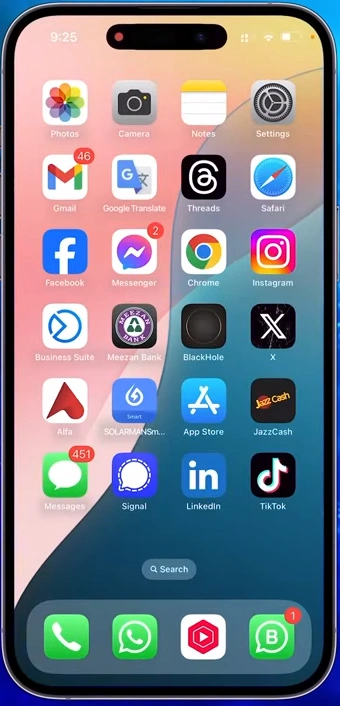
- Open Jazz Cash installed in your mobile phone.
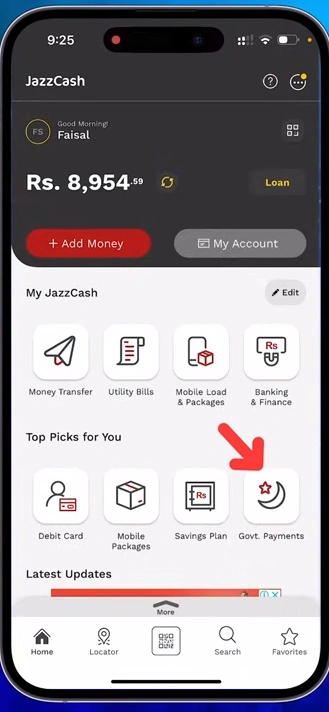
- Here, you will see the option Government Payments; click on it.
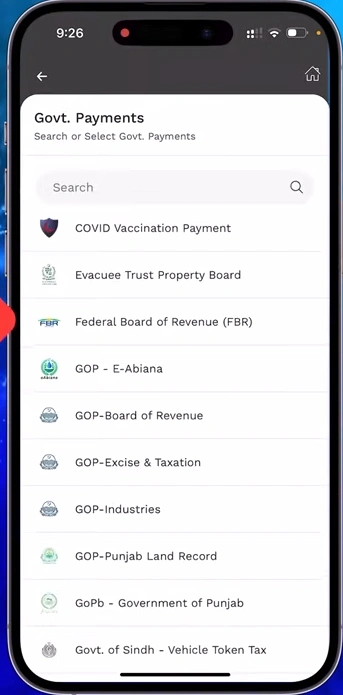
- Here, you will see the option Federal Board of Revenue (FBR), click on it.
Step-2: Paste PSID ID in FBR Government Payments
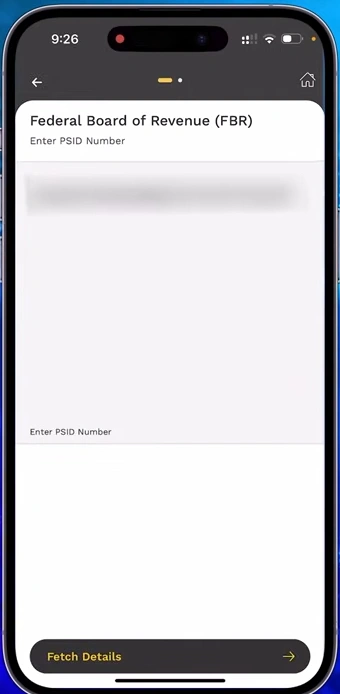
- Now, paste whatever PSID you have copied and click on fetch details.
- As soon as you click on fetch details, its payment will appear in front of you—the same payment that has been sent to you in the messages, which is the duty of your phone’s FBR.
- Click on next. Your payment will be submitted, and PTA will approve your phone within 2 to 48 hours.
How to Check PTA Mobile Registration Status Online
You can check mobile device PTA Registration status in easy way by dialing *8484#.
- Dial
*8484#from your phone - Press 2 – Track Registration Status
- Enter your IMEI number
- Status is shown on screen
How to Do PTA SIM Check - Verify SIM Registration Status
You can also do a PTA SIM check by sending your IMEI to 8723 via SMS. The reply confirms whether your SIM is active on a PTA-compliant device. the method is simple below
- Open your phone’s message app
- Type your 15-digit IMEI number (dial
*#06#to find it) - Send SMS to 8723
- You will receive a reply within seconds showing if your device is PTA approved or not
How to Check PTA Status via DIRBS (dirbs.pta.gov.pk)
- Simply open google chrome browser and Go to dirbs.pta.gov.pk
- Click on DRS (Device Registration Status) and Enter your mobile IMEI number in the search box
- Click Check
- Status shows immediately Compliant, Non-Compliant, or Not Found
How to Check PTA Approved Status and Register Mobile on DIRBS
How to Check PTA approved status? this is common question of every Pakistani, Device Identification Registration and Blocking System (DIRBS pta) is a system introduced by FBR to identify unregistered/ unregulated devices operating on local cellular networks. It was launched on 01 December 2018. You can easily register a non-verified mobile from PTA. Here i am sharing my practical experience of how to check pta approved online by using dirbs pta.
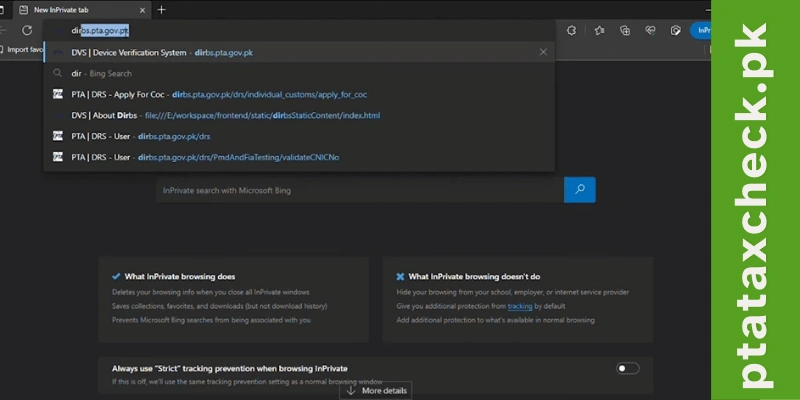
Step-1: Visit dirbs.pta.gov.pk on your smartphone of laptop.
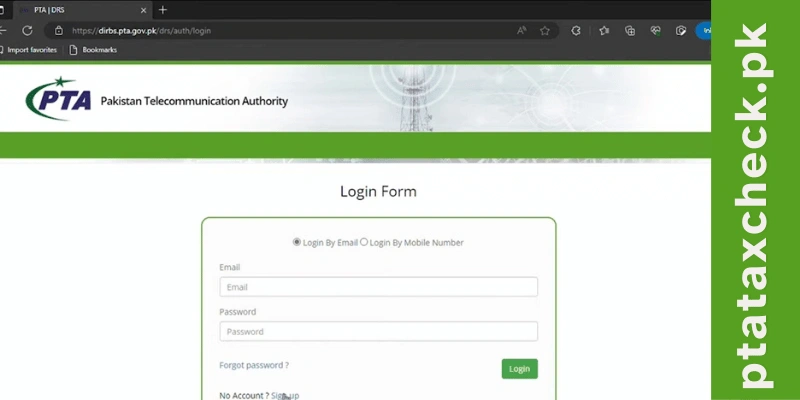
Step-2: Click on the Sign-Up option.
Step-3: Select the desired option in the User Type.
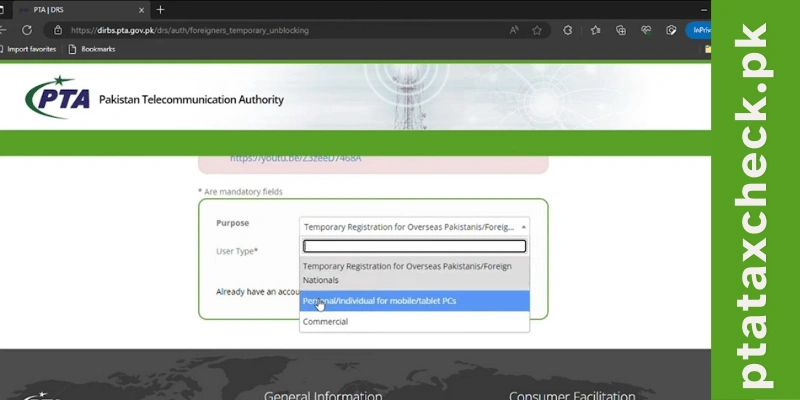
Step-4: Enter your contact information and password.
Step-5: Now, a verification link will be sent to your phone number and email. After clicking on this link, the account will be activated
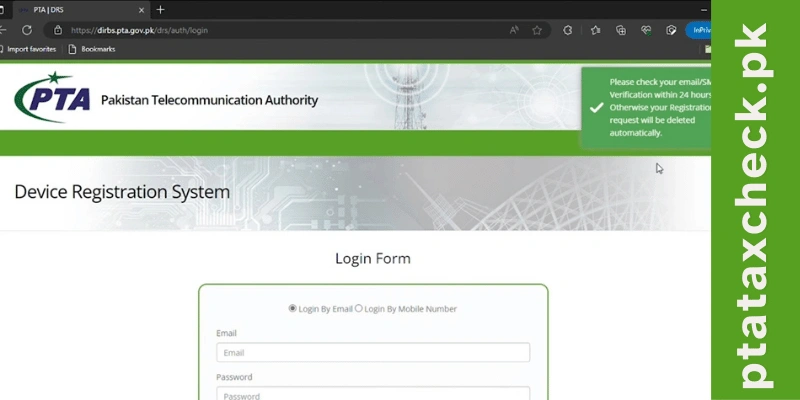
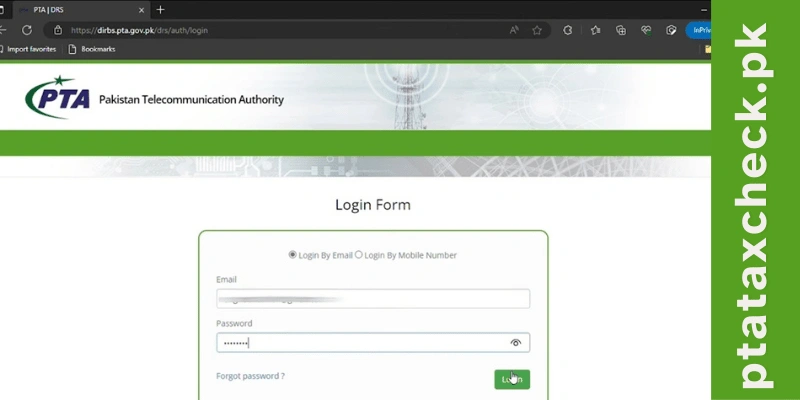
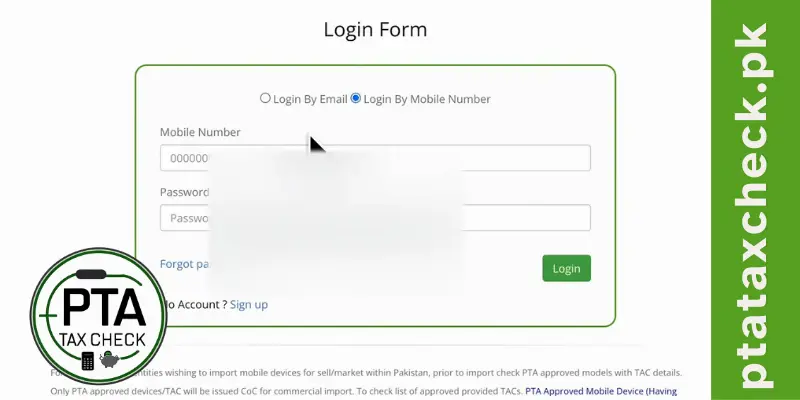
Step-6: Now, enter your email and password into the login form.
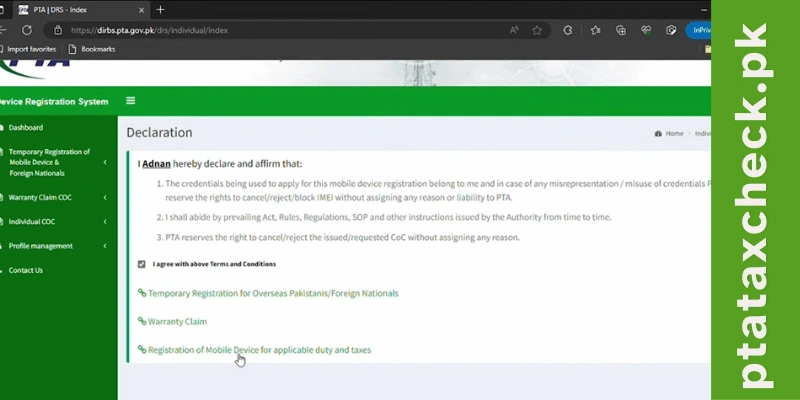
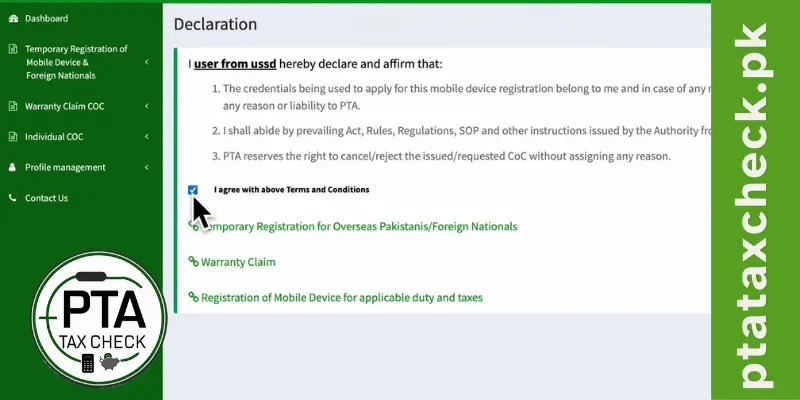
Step-7: After clicking on I Agree, three options will appear on the screen.
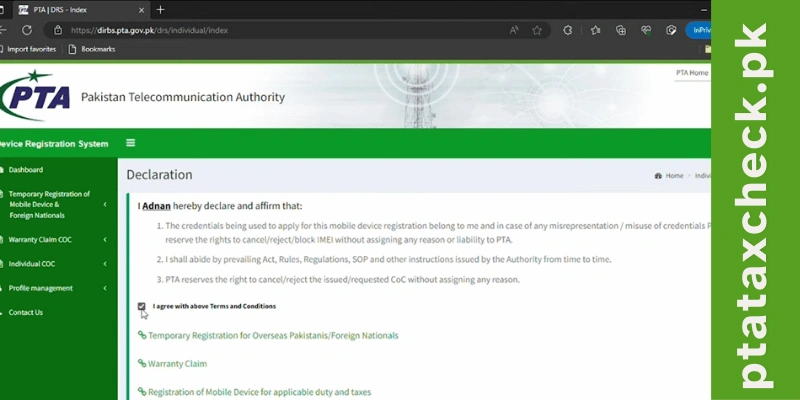
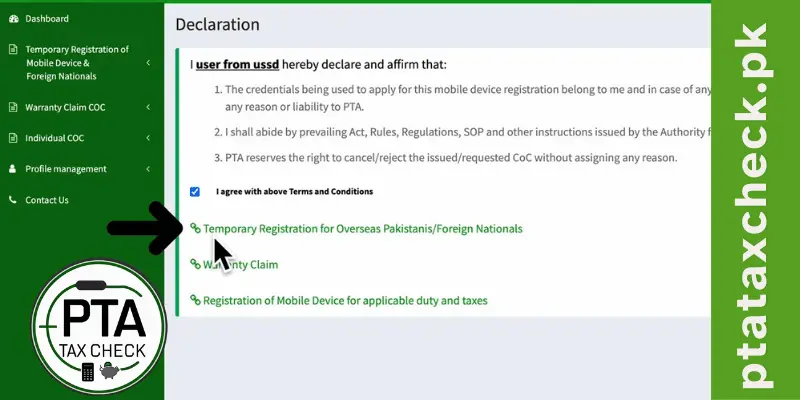
Step-8: Click on Registration of Mobile Device for Applicable Duty and Taxes.
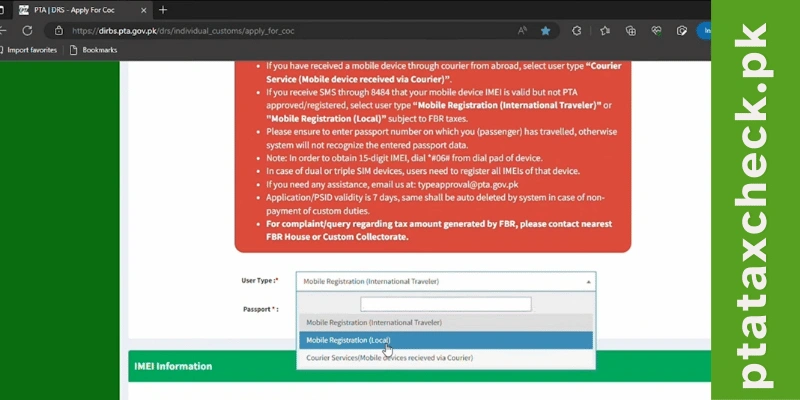
Step-9: Now select the desired option in the User Type (Mobile Registration Local).
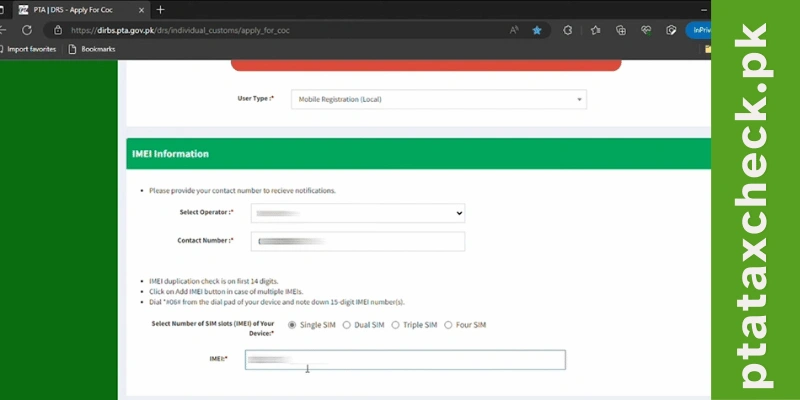
Step-10: Select your chosen mobile operator and Enter your phone number. Select the number of SIM slots on your device and then Enter the IMEI of your phone. If you do not know the IMEI number, dial *06# from your handset
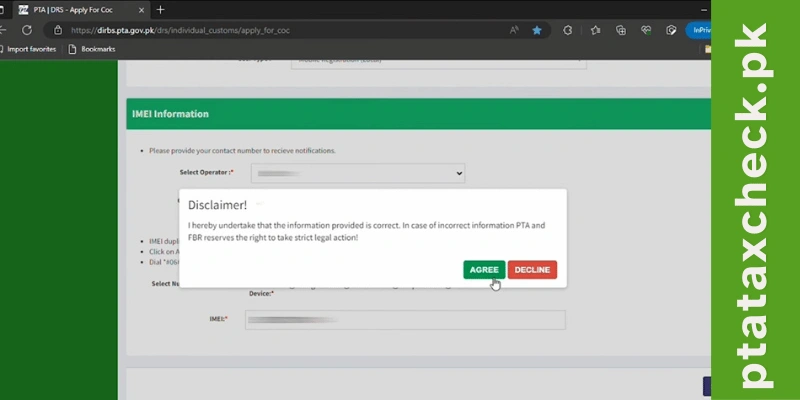
Step-11: After clicking on Submit, click Agree on the disclaimer given on the screen.
Step-12: An OTP will be sent to the given phone number. Enter the OTP now.
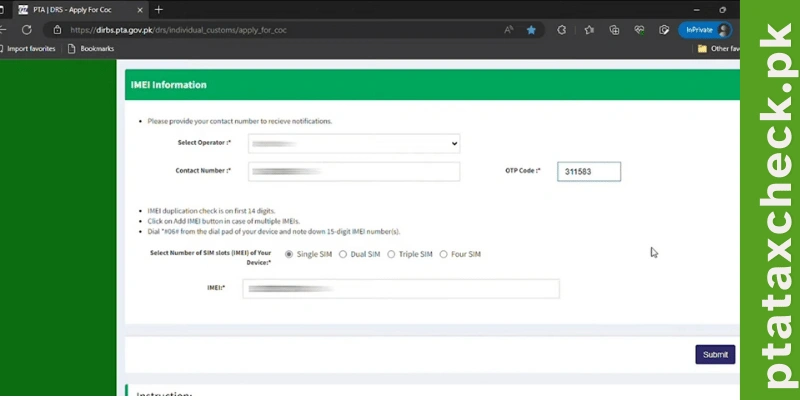
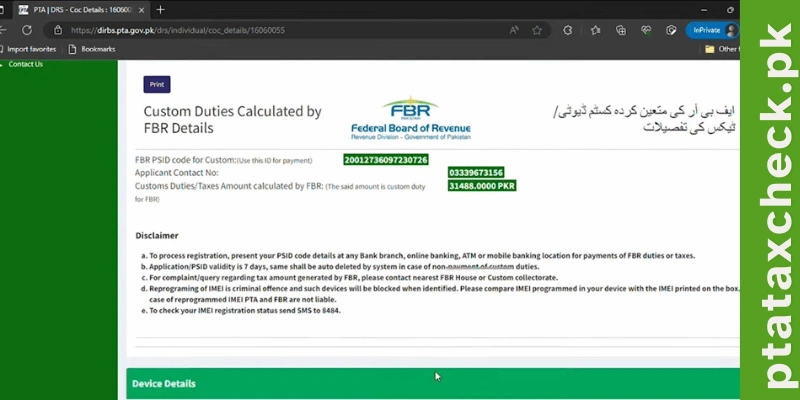
Step-13: You will be displayed the details of FBR Duty and Taxes for each of your device. You have to pay the FBR Duty and Taxes to complete the registration process. You can pay FBR Duty and taxes through any banking app or Easypaisa and JazzCash. After this, your phone will be registered and PTA approved
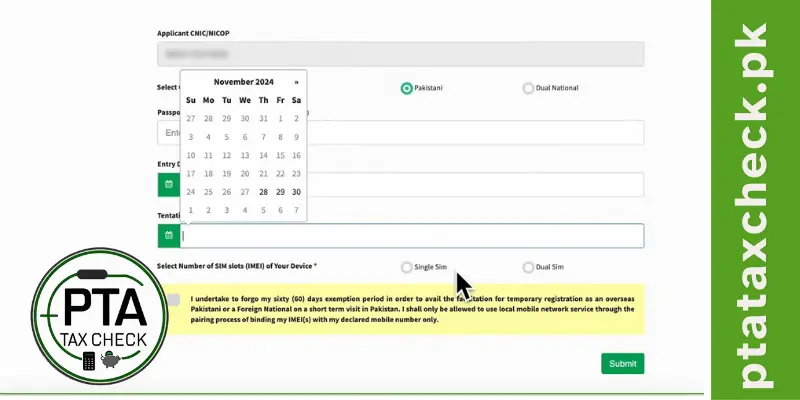
Temporary PTA Registration for Overseas Pakistanis - Passport Method
This is a simple procedure. You can understand it yourself while staying at home. You can do this work from your laptop PC or mobile device, but it will be very easy from your laptop or PC.
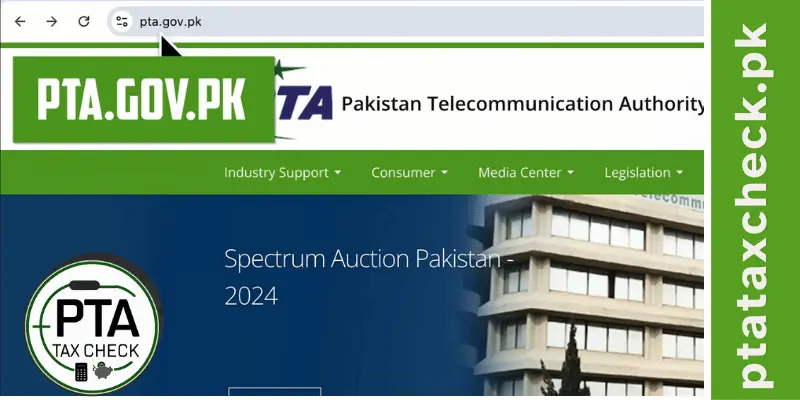
Step-1: So, for this work, you will visit pta.gov.pk.
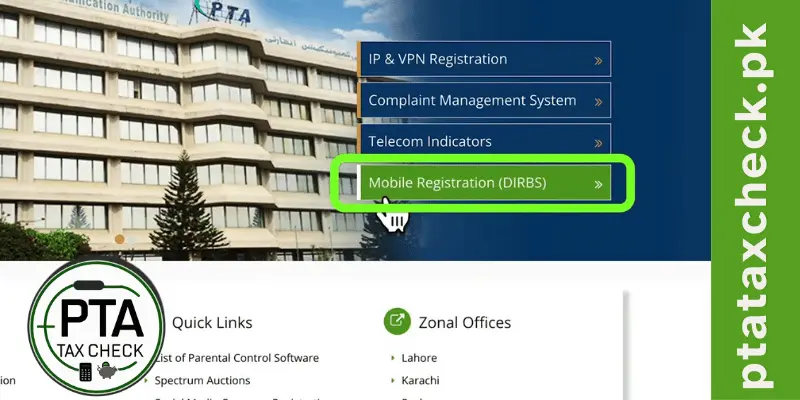
Step-2: On this page, you will see this option: Mobile phone registration.
Step-3: After signing up, you will sign in.
Step-4: After that, you will click on Agree. As soon as you agree, three options will appear in front of you.
Step-5: Here, you will choose the first option: Temporary Registration for Overseas Pakistanis. Your CNIC will appear automatically here.
Step-6: Here, you will enter your passport.
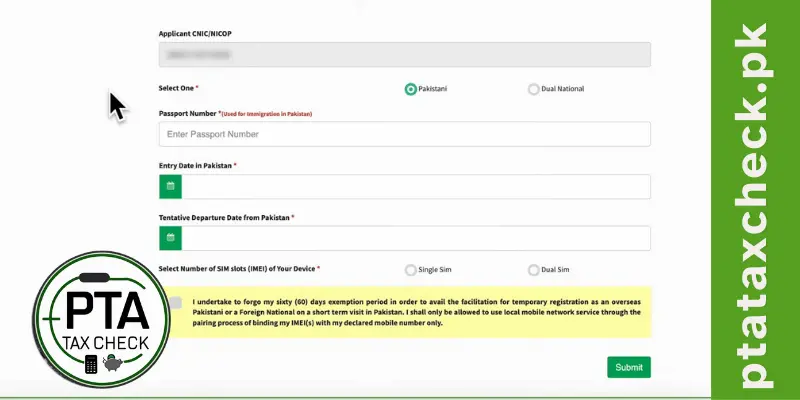
Step-7: You have to enter the details we entered on the phone. After entering all those details, your phone will be approved by PTA within 2 to 48 hours, and you will not have to pay even single Rupees.
So, this is how you get your phone approved by PTA in all scenarios while staying at home by yourself. I hope you have understood all the procedures because I have straightforwardly guided you. If you find the article helpful, then share it as much as you can with your friends who have non-PTA mobile phones or coming to Pakistan for few days or months.
What Happens if Your Mobile is Not PTA Approved -Consequences
If you have completed the 60 days, you must get it approved by PTA immediately; without that, you will not get a signal on your SIM network.
Nearest Mobile Operators Facilitation Centers
Mobile Device registration facilitation is available at all MNO service/franchise centers where PKR 100 is applicable per registration. You can check your nearest facilitation center by clicking on your mobile operator.
- Jazz Facilitation Center
- Ufone Facilitation Center
- Telenor Facilitation Center
- Zong Facilitation Center
- SCO Facilitation Center
How to Save Taxes on PTA Mobile Registration in Pakistan - A Complete Guide
The Pakistan Telecommunication Authority (PTA) has imposed different taxes when you import a smart phone even a single mobile device. You have to pay taxes that can increase additional cost and will effect on your savings. Here we can explore some simple ways to reduce tax on imported smart phone.
Estimating Your PTA Mobile Registration Taxes
The Pakistan Telecommunication Authority (PTA) has imposed different taxes when you import a smart phone even a single mobile device. You have to pay taxes that can increase additional cost and will effect on your savings. Here we can explore some simple ways to reduce tax on imported smart phone.
Before you plan to come in Pakistan, you should accurately estimate your mobile phone taxes by using pta tax check tool. By, you can estimate pta tax tax and can manage your budget.
Lower Exchange Rate (USD to PKR)
The exchange rate impacts PTA tax because a significant portion of the tax is calculated based on the C&F (Cost and Freight) value of the phone, which is often denominated in USD. Here is, how change in exchange rate impact PTA Tax.
1. Taxes Are Based on the Value in PKR
- Mobile phone price declared in USD.
- This value is converted into PKR using the current exchange rate.
- Higher exchange rates increase the PKR value of the device, which in turn increases the tax amount.
2. Tax Components Affected by Exchange Rate
PTA tax is made up of several components, many of which depend on the device’s value in PKR:
- Customs Duty: A percentage of the device’s C&F value.
- Regulatory Duty: Applied based on the PKR value of the phone.
- Sales Tax: Usually a fixed percentage of the PKR value.
- Income Tax: Also calculated as a percentage of the PKR value.
If the exchange rate increases, the PKR value of the phone increases, causing all these percentages to apply to a higher base amount.
3. Example of Exchange Rate Impact on Tax
Let’s assume an iPhone 11 has a declared value of $500:
- At an Exchange Rate of 300 PKR/USD
- Device value in PKR: 500 × 300 = 150,000 PKR
- Total PTA tax (hypothetical): ~60,000 PKR
- At an Exchange Rate of 320 PKR/USD
- Device value in PKR: 500 × 320 = 160,000 PKR
- Total PTA tax (hypothetical): ~64,000 PKR
In this case, the increased exchange rate raises the total PTA tax by 4,000 PKR.
4. Why This Matters to Users
- Fluctuations Can Increase Costs: Users planning to pay their taxes later might face higher costs if the exchange rate rises.
- Timing Becomes Critical: Informing users about this impact encourages them to act sooner if the exchange rate is favorable
Update of Tax Policy Changes
Get significant advantage while you are updated with recent tax policy changes.
PTA change its tax rules time to time and it can be a chance for you to get benefit. You can save money and make informed decision regardless of your finances. PTA always announces new tax exemptions/ reductions and temporary relief to facilitate the overseas Pakistanis. Take advantage of exemptions and reductions offered by PTA that can lower your costs when purchasing a mobile device.
Stay Updated on International Trade Agreements
Countries often sign an agreement for tax exemptions / reduction on various items. Check your country trade agreements about is any tax exemption / reduction provide to its citizens.
Overseas or Foreign Remittances
Pakistan Government always encourages overseas Pakistanis for foreign remittances. When you deposit remittances you will be given some tax exemptions/ reductions. Recently, a scheme was launched by Government of Pakistan to earn some points on remittances and use them in tax reductions including pta tax. Take advantage of that scheme and reduce pta tax if scheme is continued.
How to Use a Non-PTA Phone in Pakistan - Legal Methods 2026
How can you use your non-PTA phone and live your life with it? Let me tell you that there is no alternative to getting a phone approved by the PTA, which means that getting your mobile phone approved by the PTA is the best solution.
The problem is that the cost of PTA approval in the Pakistani market has gone up so much that, in some cases, the PTA tax is more than the mobile phone price.
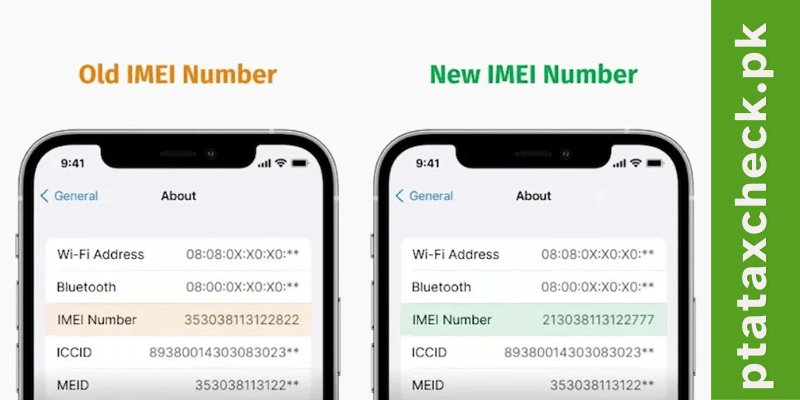
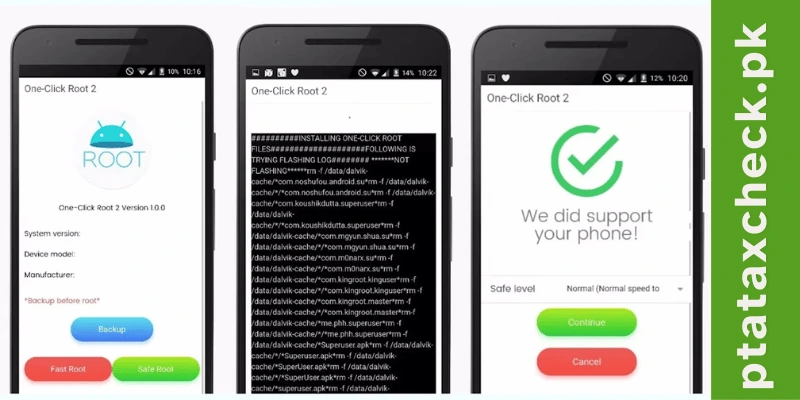
I am going to tell you a trick for which you can use your mobile phone to some extent, so the method by which you change the IMEI of your mobile phone, which is legal and your mobile phone is also considered to be secure to some extent, banking apps, etc. do not work,
So we will discuss those methods that will not cause you any problems from the security side.
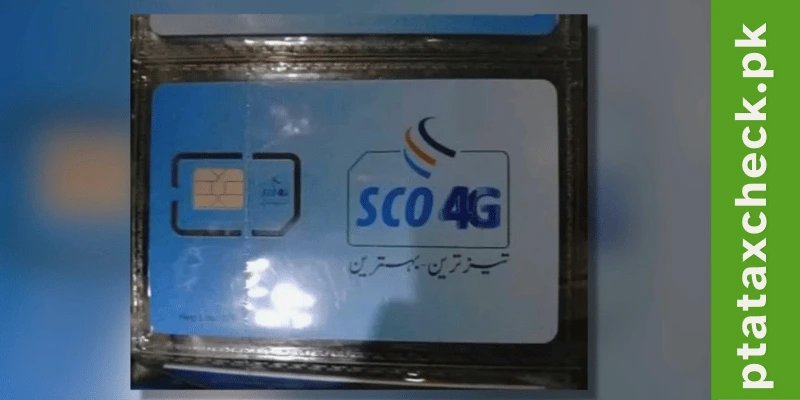
SCOM SIM Method
This is such a method that works on every mobile phone, especially for people who can change their mobile numbers. Take a lot of help from that method. This method is a SCOM network, the network of Northern Areas in which you also operate.
If you put this SIM card on any of your phones, you get signals from all over Pakistan, and this phone is working as well. This SIM card is only given concession in Pakistan, so if you go to OLX, you will find it in the range of about Rupees 2000-3000.
People are buying and selling SIM cards, this is the way through which you will be able to use a non-refundable SIM card in any mobile phone for a long time, the biggest problem in this is that your number will change.
How to Use Non-PTA iPhone in Pakistan
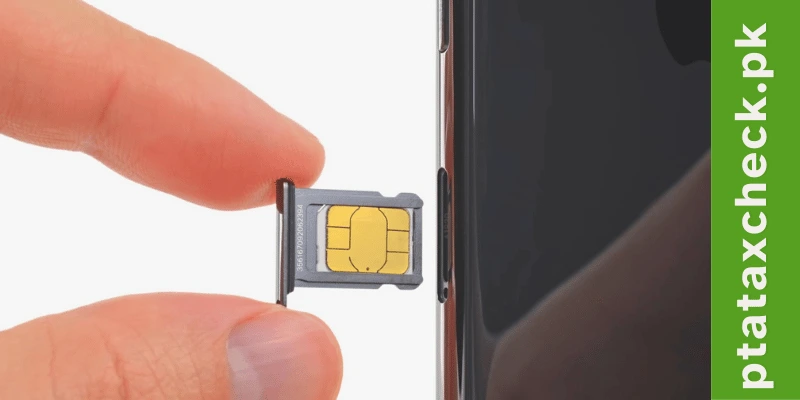
If you don’t even want to change your number from the net and you wish to use your mobile phone for notifications and you have an iPhone, then what kind of SIM card do you have? And you can have that SIM card these days, so for iPhone, there are three ways of using the SIM card:-
Method-1: eSIM
If you have a newer model than i10, i.e. Ten series 11-12-13, any of its mobile phones, if you have a Note 10 phone in all these mobile phones.
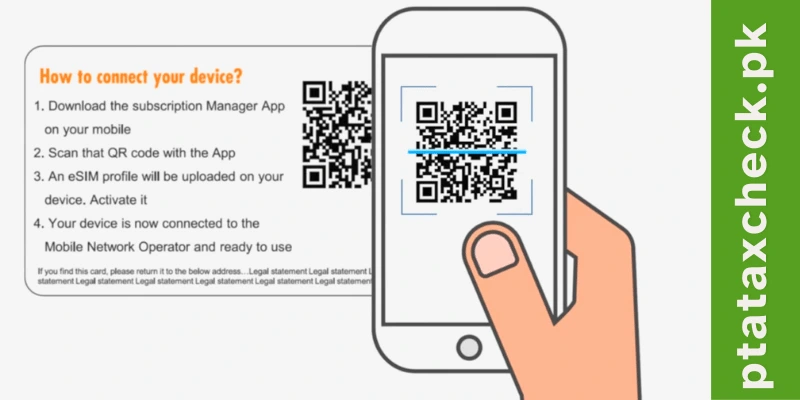
Then you will have to understand one thing that there is an option for this SIM card as well, for those who do not know what SIM is. So where do you insert a standard SIM card in your mobile phone, it is a software system, which you will stop for a minute, you will get to scan the QR code and your time will be saved.
Now, because there is an option for this in these phones, these mobile phones are dual SIM mobile phones. If you have been using a single SIM all your life, then one SIM gets blocked, and I have a simple SIM card. There is a time limit of 2 months on that, too, so you can use this SIM for two months, but this is a temporary solution.
Method-2: Old iPhone
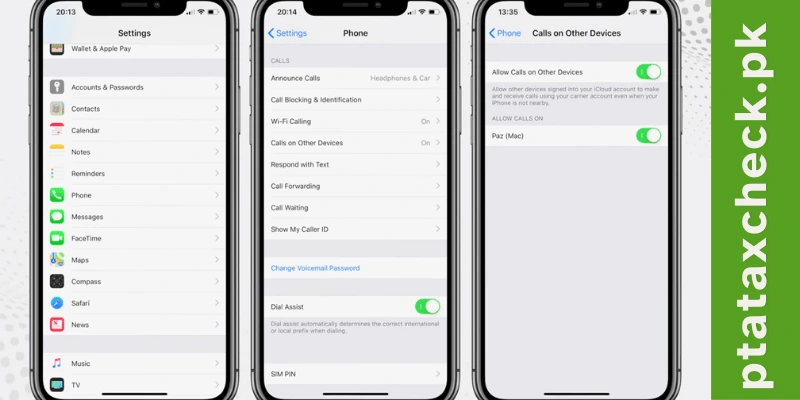
The best way is to buy a PTA-approved small iPhone; there is a setting in the settings of the iPhone through which you can listen to your iPhone’s calls on every device in which your Apple ID is installed.
I use this system because I have also heard calls on my watch. My problem is that the calls on these devices go there. Still, I have another iPhone on which your SIM card is again installed. In that case, all the calls from that device will also be going to this device, so you have to connect an old phone with your primary iPhone, which will be approved.
In that, you have to make that device that has the option of calling, and after that, whatever call is there on this small iPhone, it will automatically come to your primary phone, and you will use your principal in the same way as your phone uses.
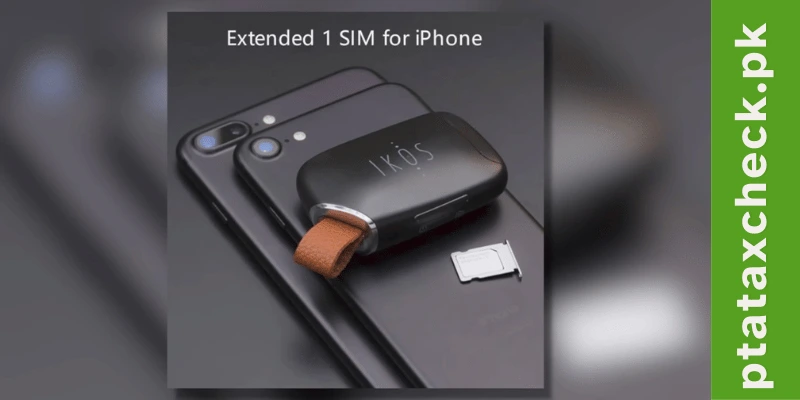
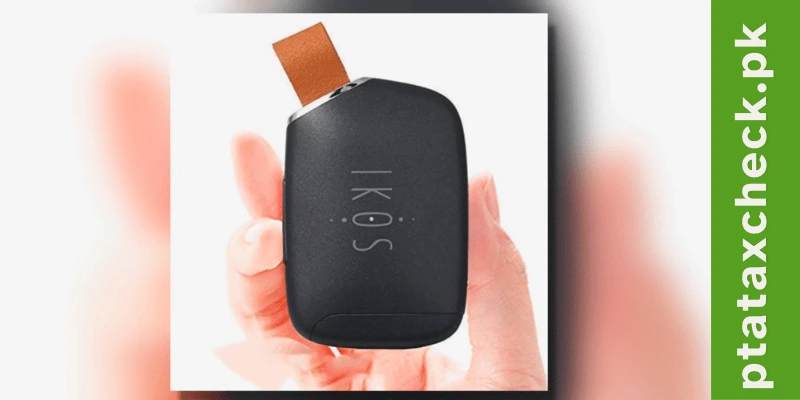
Method-3: IKOS Device
IKOS devices started coming in the beginning for mobile phones that didn’t have the dual SIM option. You know that for the longest time, people didn’t like iPhones. That’s why such devices have started coming in, and you can put a SIM card in it and use those SIM cards on your mobile phone.
Now, when mobiles have gone out of SIM, the use of these devices has been reduced to a great extent. However, the Pakistani market channel gets the chance to get the device approved by the government. So, the government also gives its approval. The cost is very low; only by the way, if you buy an iPhone, then its cost of approval is very high so that you can go to that device,
You can connect your mobile phone to it. You can do all this system inside it, and if your device works with it, then there will be no problem. You must be using it on your mobile phone; here one thing is definitely that due to the device, I do not find this light special, but a lot of people use it, so I am telling you that there is all this battery in it, the way of iPhone 6 is the best option if you have an iPhone.
How to Use Non-PTA Android Mobile in Pakistan
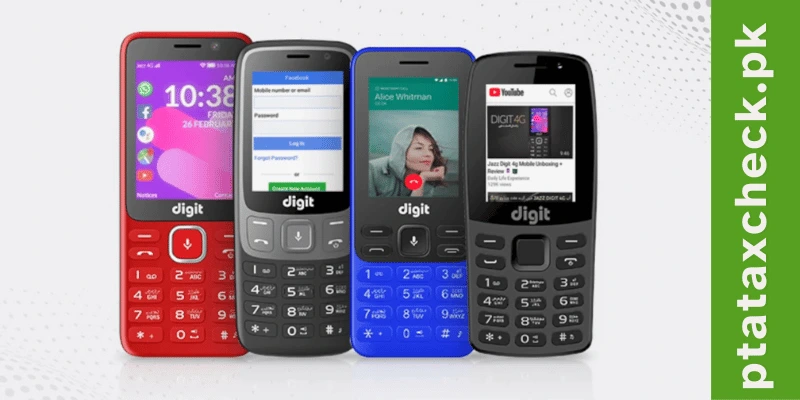
Who has an Android device, and what can they do? The easiest way for an Android device is to buy an Android 4G device; these are battery-powered devices because these are devices coming from the network, so these are wirelessly supported devices, these are the ones that have multiple devices.
These are button-based mobiles, in them multiple devices come. You have the option of inserting a 4G SIM card for your daughter, and along with this, we also provide you with WiFi and hotspot facilities. So, you can use the Digit 4G to make your calls. You will be able to use it in that.
The biggest thing is that because it can provide you with a hotspot, you will be able to use the internet on your primary mobile phone. You can use WhatsApp on your primary mobile phone, but for that, you will basically have to use the data sheet 4G. The call recording facility from one phone to another is definitely present in Android as well, but its quality is so bad that I will not recommend it to anyone. If you do not want to upload media to your phone, then go for the Jazz 4G method, or else you should start saving money and pay the cost of the PTA.
The PTA approval system has been made mandatory until now. Let me make it clear that those who are waiting for the taxes to be abolished have no such news, and neither will there be any such reduction.
PTA Tax Check - Frequently Asked Questions (FAQs)
- Dialing *#06# on your phone
- Going to Settings > General > About
- Visit the PTA's DIRBS portal
- Enter your IMEI number and other required details
- Pay the calculated tax online
- Wait for confirmation of registration